Deploy your personal ChatGPT locally — part 2
In the previous story, we were able to run a chatbot model with just 30 lines or so in Python using huggingface library. Today, we will create a simple chatbot web interface using streamlit library.
Deploy your personal ChatGPT locally from scratch— part 2
Creating the chatbot interface from scratch will be a lot work. Fortunately, there is library called streamlit that makes it so easy to make one. Below is all you need to launch a dummy chatbot web interface
# web-app.py
import streamlit as st
import time

st.title("💬 Chatbot")
st.caption("🚀 A streamlit chatbot powered by local LLM")
if "messages" not in st.session_state:
    st.session_state.messages = [
        {"role": "assistant", "content": "How can I help you?"}]

for msg in st.session_state.messages:
    st.chat_message(msg["role"]).write(msg["content"])

if prompt := st.chat_input():
    st.session_state.messages.append({"role": "user", "content": prompt})
    with st.chat_message('user'):
        st.markdown(prompt)

    with st.chat_message('assistant'):
        response = f'are you saying "{prompt}"??'
        time.sleep(1.0)
        st.markdown(response)

    st.session_state.messages.append({"role": "assistant", "content": response})
To run this, you need to run the following commands
# install streamlit
pip install streamlit

# run the server
streamlit run web-app.py
This should open up a browser automatically.
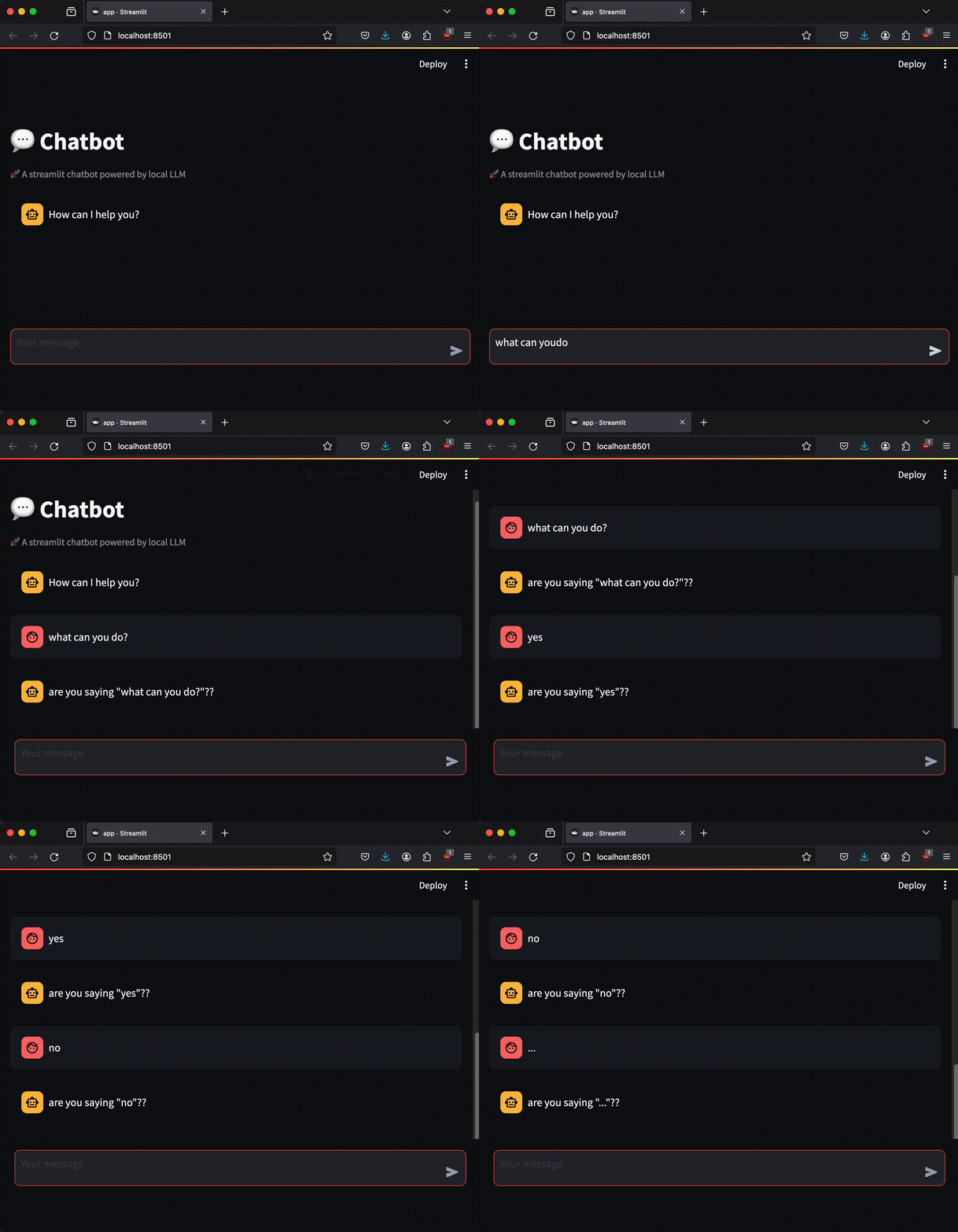
Currently, this is a dumb bot, as it will just repeat the prompt. Later, we will generate the response from the actual chatbot model. For now, what is more important is how the entire response is written at once. If you remember from the previous story, the response generation from a chatbot model is very slow, so we’d better implement streaming support.
Streaming support
Below shows some modifications to run it in a streaming mode where the response is written character by character.
--- before
+++ after
@@ -2,6 +2,12 @@
 import time


+def streamer(text):
+    for end in range(len(text) + 1):
+        yield text[:end]
+        time.sleep(0.1)
+
+
 st.title("💬 Chatbot")
 st.caption("🚀 A streamlit chatbot powered by local LLM")
 if "messages" not in st.session_state:
@@ -17,9 +23,9 @@
         st.markdown(prompt)

     with st.chat_message('assistant'):
-        response = f'are you saying "{prompt}"??'
-        time.sleep(1.0)
-        st.markdown(response)
+        message_placeholder = st.empty()
+        for msg in streamer(f'are you saying "{prompt}"??'):
+            message_placeholder.markdown(msg)

-    st.session_state.messages.append({"role": "assistant", "content": response})
+    st.session_state.messages.append({"role": "assistant", "content": msg})
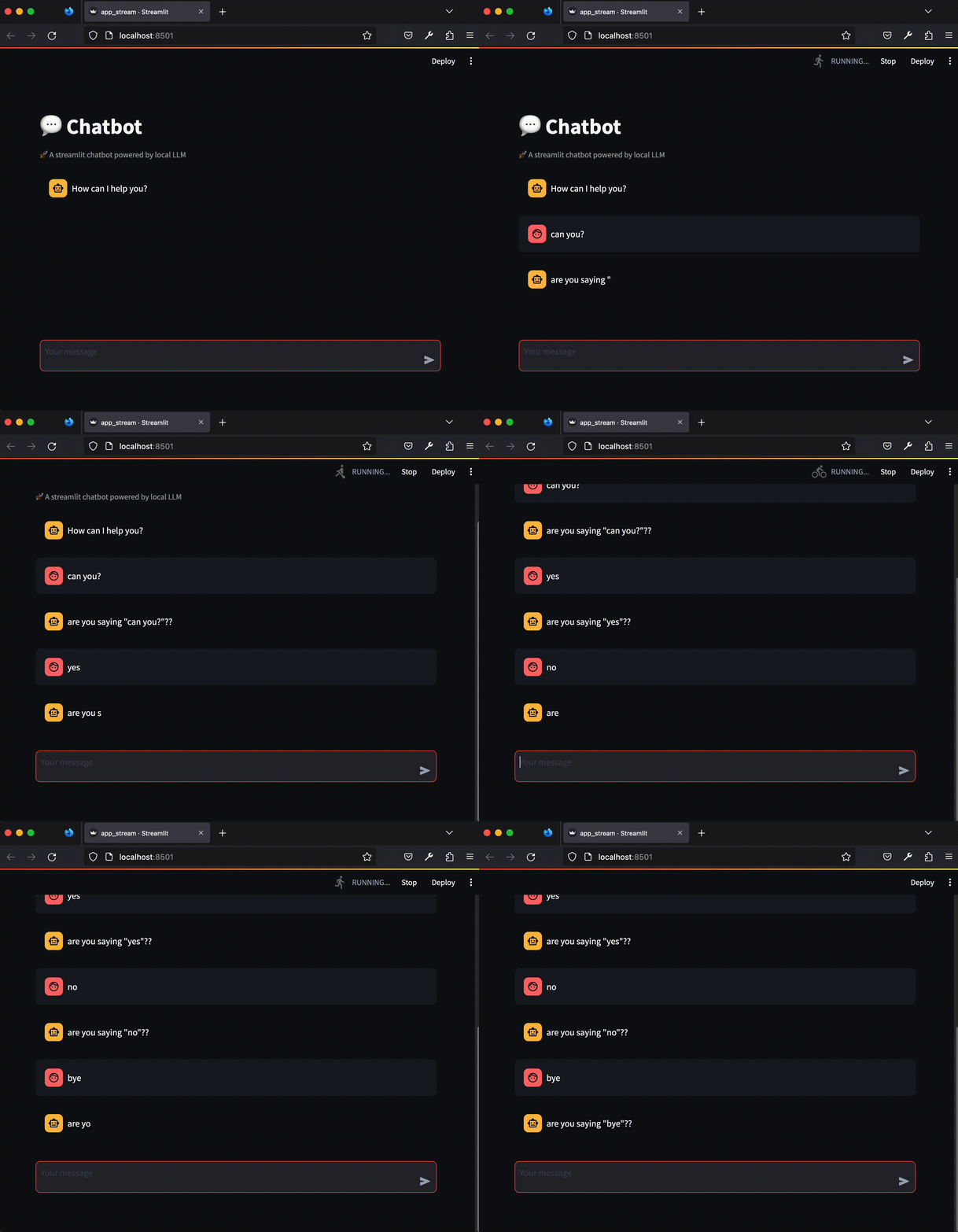
Here, streamer() is a simple generator that emulates streaming input, which will later come from the chatbot model. If you run this, you should see the response written in a streaming fashion
Alright, two down, one more to go. In the next story, we will integrate the chatbot model and the web interface together to build a fully functional chatbot!