Automate Python virtual env
These days, I have been sick of activating and deactivate Python virtual environment for each project.
cd ~/some_python_project
source venv/bin/activate
cd ~/another_python_project
deactivate
source venv/bin/activate
Different Python projects require different packages and sometimes specific versions, so it is the best practice to isolate each project’s Python environment. For this reason, I typically create a dedicated virtual environment in each project’s directory and load/unload as I enter the directory. However, this is quite inconvenient if I need to work in multiple projects.
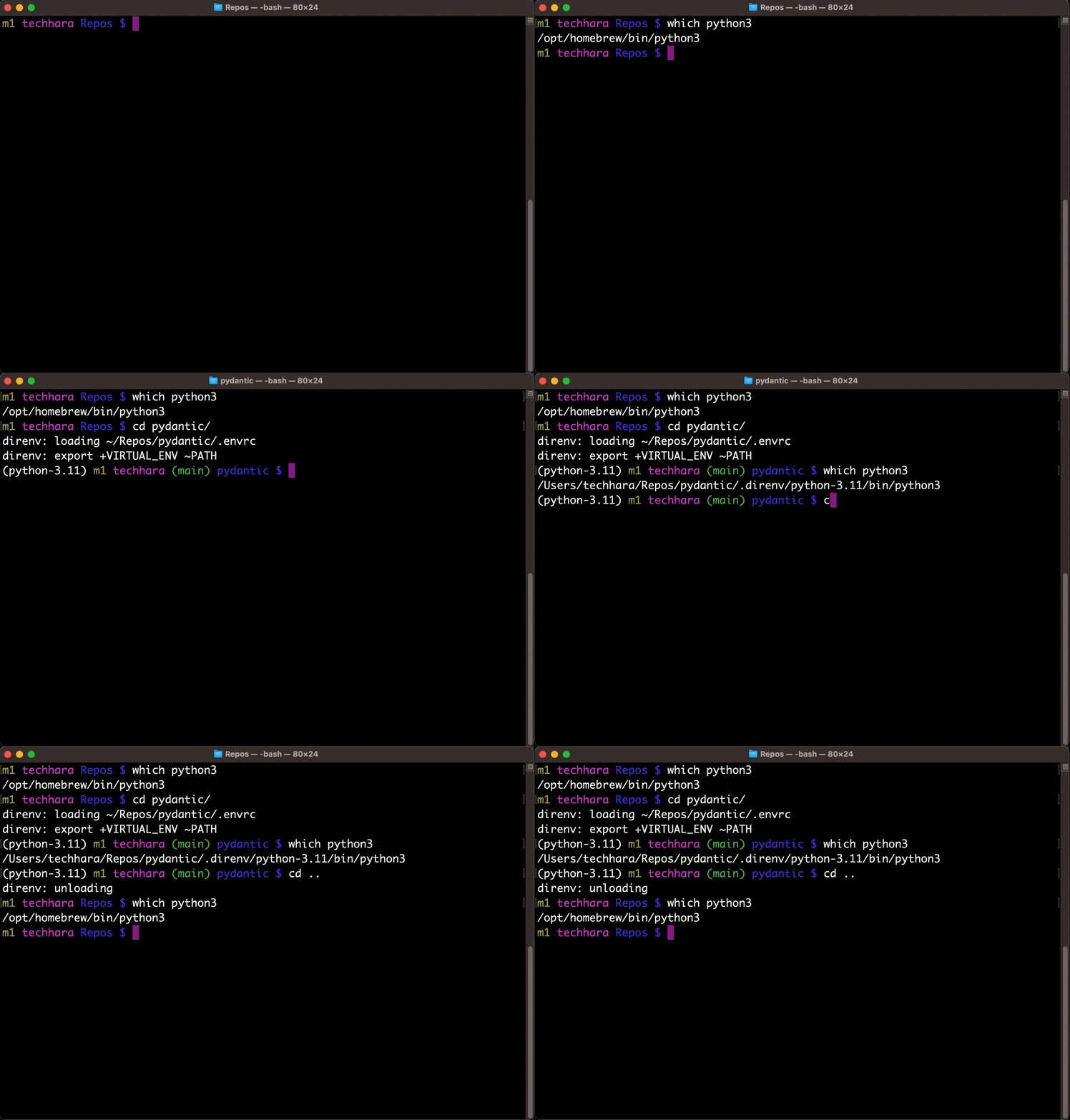
Today, I finally find a solution, thanks to direnv project. This allows to easily automate the process of loading/unloading Python virtual environment.
Step by step
First, we need to install direnv. Refer here for more details on installation.
curl -sfL https://direnv.net/install.sh | bash
Next, you need to hook direnv to your shell. In addition, we want to show virtual environment in the prompt. For bash on macOS, you would run
echo 'eval "$(direnv hook bash)"' >> ~/.bash_profile

cat >> ~/.bash_profile <<'EOF'
show_virtual_env() {
  if [[ -n "$VIRTUAL_ENV" && -n "$DIRENV_DIR" ]]; then
    echo "($(basename $VIRTUAL_ENV)) "
  fi
}
export -f show_virtual_env
PS1='$(show_virtual_env)'"$PS1"
EOF

source ~/.bash_profile
You can also find instructions on different shells here. Once the hook is set up, let’s try to clone a Python repo
git clone https://github.com/pydantic/pydantic
cd pydantic
Before I knew about direnv, I would have run python3 -m venv venv && source venv/bin/activate. Now, this is what we can do instead
echo 'layout python3' > .envrc
direnv allow .
That’s it! This automatically sets up a new Python virtual environment and will activate it for you. You can verify with
which python
/Users/techhara/Repos/pydantic/.direnv/python-3.11/bin/python

which pip
/Users/techhara/Repos/pydantic/.direnv/python-3.11/bin/pip
Now, go ahead and install necessary packages. For example, we can
pip install -e .
...

pip list
Package           Version Editable project location
----------------- ------- ------------------------------
annotated-types   0.6.0
pip               23.2.1
pydantic          2.7.0a1 /Users/techhara/Repos/pydantic
pydantic_core     2.16.3
setuptools        68.2.2
typing_extensions 4.10.0
Since we are running a new virtual environment, only the minimal packages required for this project are installed. Here is where the magic happens. Let’s say we are done with this project and want to leave this directory
# in pydantic directory
which python
/Users/techhara/Repos/pydantic/.direnv/python-3.11/bin/python

# leaving pydantic directory
cd ..
direnv: unloading

which python
/opt/homebrew/bin/python

# entering pydantic directory
cd pydantic
direnv: loading ~/Repos/pydantic/.envrc
direnv: export +VIRTUAL_ENV ~PATH

which python
/Users/techhara/Repos/pydantic/.direnv/python-3.11/bin/python
As we enter and exit the directory, direnv automatically activates and deactivates the python environment!
Hopefully, you find this article as useful as I did. Happy hacking!
Reference
https://stackabuse.com/managing-python-environments-with-direnv-and-pyenv/