Sniffing LSP traffic
Language server protocol (LSP) is an open standard protocol for communications between an editor and language-specific intelligence tools…
Sniffing LSP traffic
Language server protocol (LSP) is an open standard protocol for communications between an editor and language-specific intelligence tools. This is what is behind the scene when you install, for example, Python or Rust extensions in VSCode. The extensions execute a language server, which communicates with VSCode and provides features like syntax highlights, autocomplete, and markings of warnings or errors.
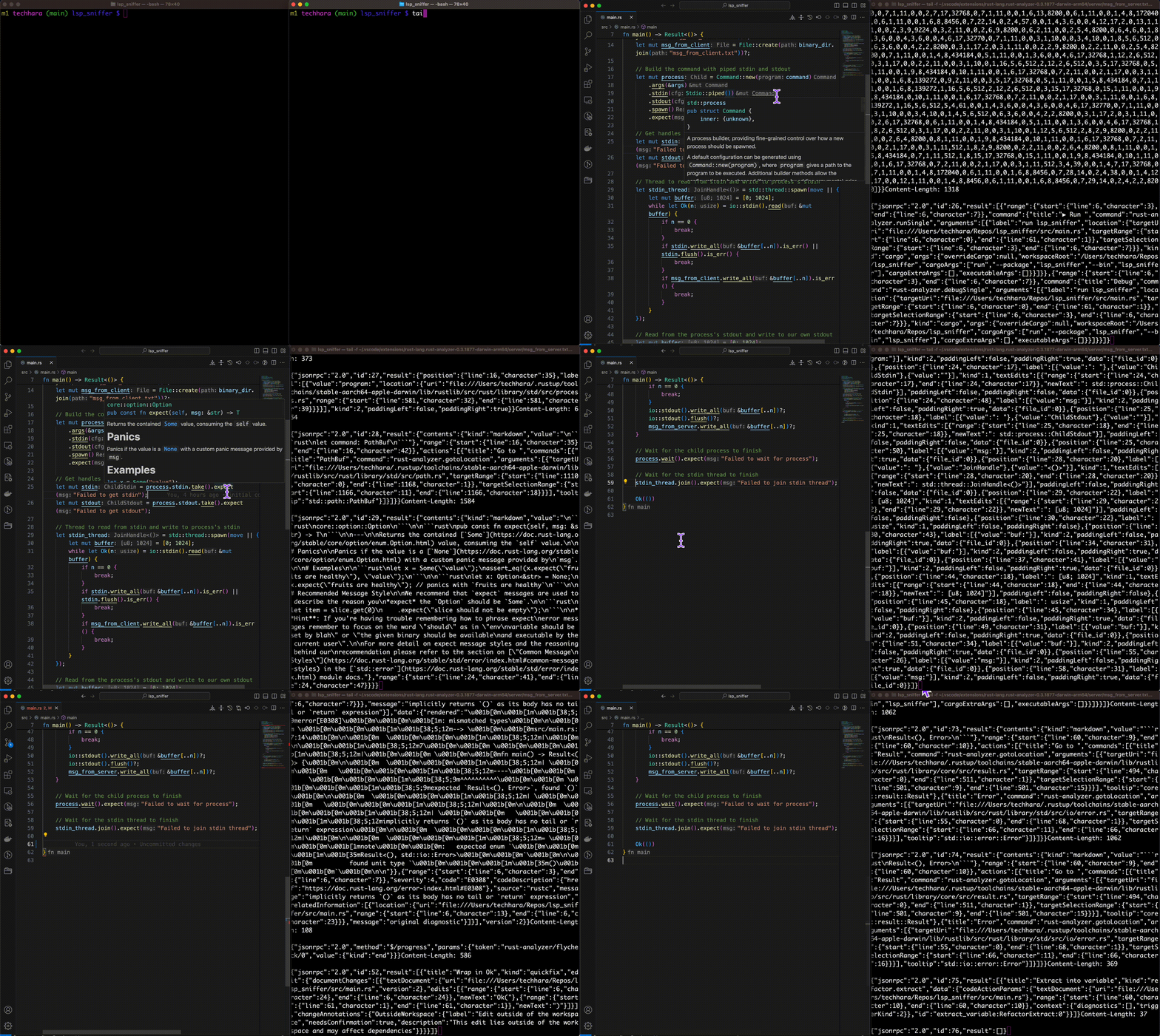
Today, we are going to intercept all the traffic between the client (i.e., the editor) and the server to give us more concrete understanding behind the scene.
Communication channel
The Language Server Protocol (LSP) is designed to be transport-agnostic, meaning it can support multiple communication channels such as stdio, TCP, or WebSocket. The protocol itself defines the format of the messages and relies on Json-RPC for the message passing, which can be implemented over various transport channels. This flexibility allows the LSP to be integrated into a wide range of development environments and tools, facilitating a standardized communication method between language servers and clients.
However, most extensions use stdio as it is the most straightforward and has the least overhead. As such, we will assume stdio as the communication channel between the two.
Rust-Analyzer
Let’s look at a specific example. We will explore rust-analyzer extension LSP features. Install the extension, and you should be able to locate rust-analyzer binary in the directory where the extension has been installed. For macOS at the time of writing, it is
~/.vscode/extensions/rust-lang.rust-analyzer-0.3.1877-darwin-arm64/server/rust-analyzer --help
rust-analyzer
  LSP server for the Rust programming language.

  Subcommands and their flags do not provide any stability guarantees and may be removed or
  changed without notice. Top-level flags that are not marked as [Unstable] provide
  backwards-compatibility and may be relied on.

...
This executable implements language server via stdio. For example, providing random text yields error
echo "hi" | ~/.vscode/extensions/rust-lang.rust-analyzer-0.3.1877-darwin-arm64/server/rust-analyzer
Error: malformed header: "hi\n"
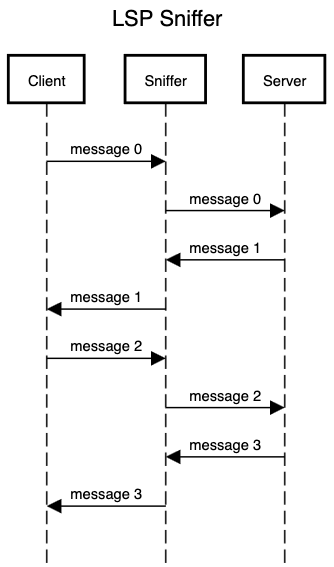
as the input is not LSP-compliant. To intercept the communications between the client/server, we simply need to create a thin layer that captures and forwards the messages in between.
Implementation
We will write in our favorite language: Rust. The minimal implementation is trivial — all we need to do is to capture stdio, log the data to msg_from_server.txt and msg_from_client.txt files, and forward to appropriate end-points. Below is my implementation.
use std::fs::File;
use std::io::{self, Read, Write};
use std::io::Result;
use std::path::Path;
use std::process::{Command, Stdio};

fn main() -> Result<()> {
    // assume the LSP server binary is lsp_server and is in the same directory
    // create output log files, one for server and one for client
    let args: Vec<_> = std::env::args().skip(1).collect();
    let binary_file = std::env::current_exe()?;
    let binary_dir = binary_file.parent().unwrap();
    let command = binary_dir.join(Path::new("lsp_server"));
    let mut msg_from_server = File::create(binary_dir.join("msg_from_server.txt"))?;
    let mut msg_from_client = File::create(binary_dir.join("msg_from_client.txt"))?;

    // Build the command with piped stdin and stdout
    let mut process = Command::new(command)
        .args(&args)
        .stdin(Stdio::piped())
        .stdout(Stdio::piped())
        .spawn()
        .expect("Failed to spawn process");

    // Get handles to the process's stdin and stdout pipes
    let mut stdin = process.stdin.take().expect("Failed to get stdin");
    let mut stdout = process.stdout.take().expect("Failed to get stdout");

    // Thread to read from client forward to the server while logging
    let stdin_thread = std::thread::spawn(move || {
        let mut buffer = [0; 1024];
        while let Ok(n) = io::stdin().read(&mut buffer) {
            if n == 0 {
                break;
            }
            if stdin.write_all(&buffer[..n]).is_err() || stdin.flush().is_err() {
                break;
            }
            if msg_from_client.write_all(&buffer[..n]).is_err() {
                break;
            }
        }
    });

    // Read from server and forward to client while logging
    let mut buffer = [0; 1024];
    while let Ok(n) = stdout.read(&mut buffer) {
        if n == 0 {
            break;
        }
        io::stdout().write_all(&buffer[..n])?;
        io::stdout().flush()?; // this is a must
        msg_from_server.write_all(&buffer[..n])?;
    }

    // Wait for the child process to finish
    process.wait().expect("Failed to wait for process");

    // Wait for the thread to finish
    stdin_thread.join().expect("Failed to join stdin thread");

    Ok(())
}
We are assuming this sniffer sits in the same directory as the original LSP server binary file named as lsp_server. This runs the server with the same arguments it receives, opens up pipes for its stdio, and relay the messages back and forth between the server’s stdio and its own stdio. That’s all. The only caveat is to make sure to flush the pipe.
Sniffing in action
To see sniffing in action, we need to rename the LSP server
cd ~/.vscode/extensions/rust-lang.rust-analyzer-0.3.1877-darwin-arm64/server
mv rust-analyzer lsp_server
Then we need to copy over the sniffer binary as rust-analyzer so that VSCode executes the sniffer rather than the server directly
# assuming you have already compiled with `cargo build -r`
cp /lsp/sniffer/project/target/release/lsp_sniffer ~/.vscode/extensions/rust-lang.rust-analyzer-0.3.1877-darwin-arm64/server/rust-analyzer
That’s it! Now we can restart VSCode, open up a Rust project, and you will see the log files in the directory!
You can find the entire source code in this repo.