Create Ubuntu USB bootable thumb-drive on macOS
I keep doing this a lot of times, and I always have to look up the internet for this. Today, I am going write down for myself and others trying to do the same. No need to install any software; everything you need, other than the Ubuntu image, is shipped with macOS!
Note: you cannot use it to boot a Mac with Apple silicon. This is meant for booting up a PC.
Steps
-
Download the iso image from Ubuntu website.
-
Insert a USB thumb-drive and open up
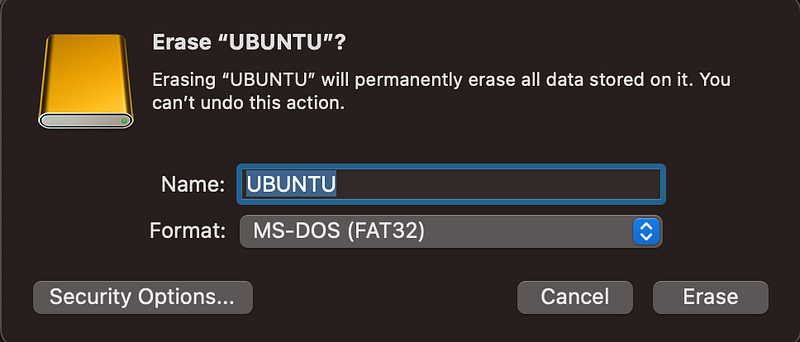
Disk utility. Right-click on the thumb-drive on the left menu and selectErase…. Enter name and choose MS-DOS (FAT32) as the format, and clickErase.
- When complete, click
Unmountfrom the top-right corner of theDisk utilityapp. Note the device path on the lower-right corner.

- Start writing to the USB thumb-drive with the following command
# sudo dd if=/path/to/ubuntu/isofile of=/path/to/usb/drive bs=8225280
# e.g.
sudo dd if=~/Downloads/ubuntu-22.04.4-desktop-amd64.iso of=/dev/disk4s1 bs=8225280
- When complete, eject the thumb-drive from
Disk utilityapp and insert into a PC for booting!