git— improve diff
Git is an essential tool for tracking changes for software development. Today, let’s take a look at how we can improve our productivity by improving git diff. If you prefer git diff to output the second screenshot below, follow along.
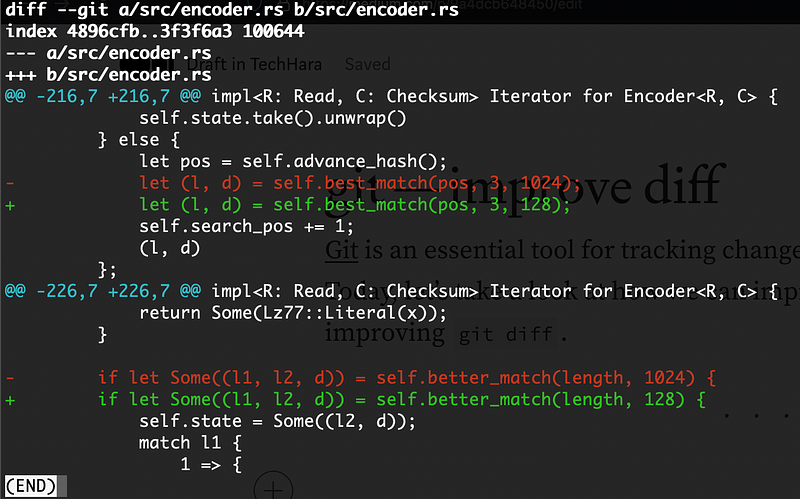 before
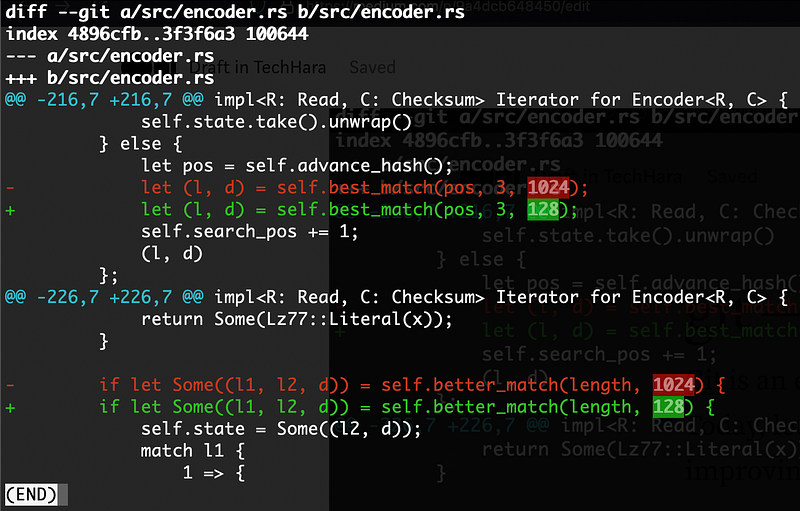 after
after
First, we need to install an external tool called diffr. The easiest way is to install via cargo
# install cargo if you don't already have
curl https://sh.rustup.rs -sSf | sh

# install diffr from cargo
cargo install diffr
Next, we need to edit the git config to make use of diffr. Open up ~/.gitconfig file and append the following
[pager]
  log = diffr | less
  show = diffr | less
  diff = diffr | less
That’s it! Now you should see highlighted output with git diff or git show.
Bonus
If you’d like to customize the color, diffr --help has a good documentation on this. For example, below is my .gitconfig file that sets the font color of added text to blue
[pager]
  log = diffr --colors refine-added:foreground:blue | less
  show = diffr --colors refine-added:foreground:blue | less
  diff = diffr --colors refine-added:foreground:blue | less
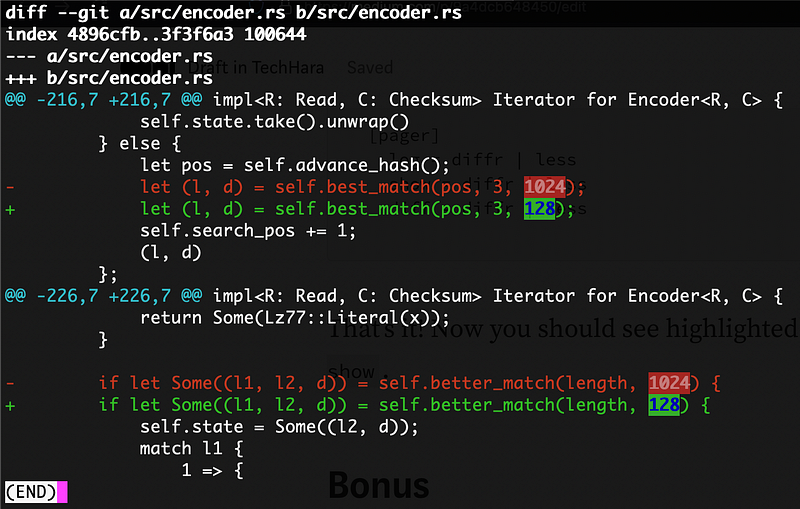 *after color customization