Apple Silicon Mac has a serious issue
For some time, I’ve been experiencing an external monitor flickering issue with my MacBook Air. Initially, I dismissed it as a minor inconvenience, assuming it was a problem with my monitor or cable. However, the issue recently became intolerable, prompting me to investigate further.
Apple Silicon: The Root Cause
After extensive research, it became clear that this is a well-known issue specifically affecting Apple Silicon Macs. When I searched for external monitor flicker MacBook, I discovered numerous articles and threads discussing this exact problem.
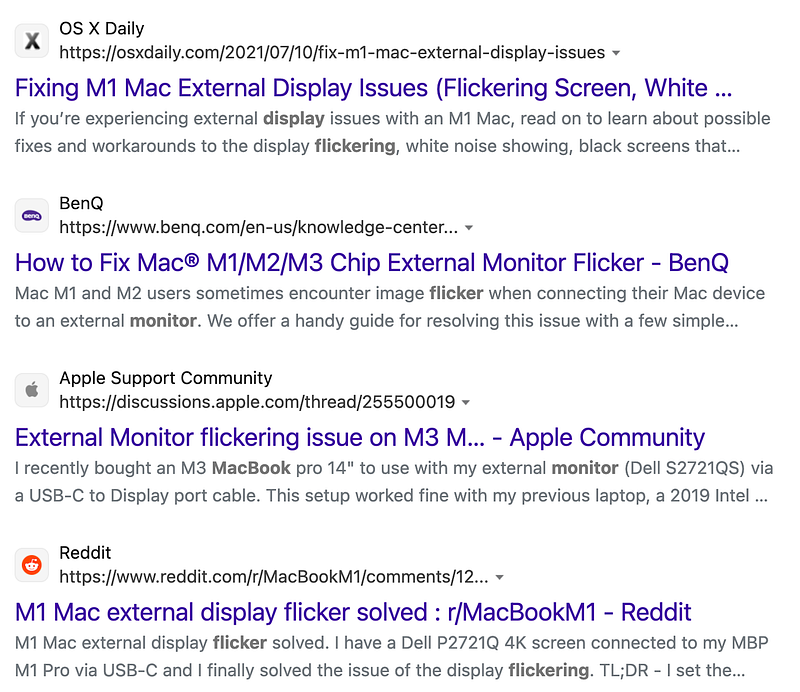
The widespread nature of the issue suggests that the root cause is not the monitor itself, as users with various monitor brands have reported similar experiences. BenQ has even published an article addressing this issue, indicating they’ve received numerous reports and complaints from customers. They’ve concluded that only Macs with M-series chips are affected.
My setup
I’ve been connecting my MacBook Air with an M2 chip to a Dell 4K monitor via USB-C. This setup was chosen for its convenience, as a single cable delivers power, display output, and connectivity for peripherals attached to my monitor. Supporting power delivery and USB-C display output were the primary reasons I purchased this monitor.
While the flickering was initially mild, it became significantly worse when I enabled Night Shift to reduce blue light exposure, ultimately becoming unbearable.
Attempted Solutions
I explored various solutions, starting with adjusting monitor settings, but none proved effective except for increasing contrast. However, this resulted in a bluer display, which counteracted the intended effect of Night Shift and wasn’t a true solution. Switching to an HDMI connection resolved the issue but limited the refresh rate to 30Hz (compared to 60Hz with USB-C) and sacrificed the convenience of easy MacBook swapping.
Final Solution
Suspecting refresh rate as the culprit, I reverted to the USB-C connection and lowered the refresh rate from 60Hz to 30Hz. This completely eliminated the flickering issue!
I also found this thread from Apple community, confirming my experience.
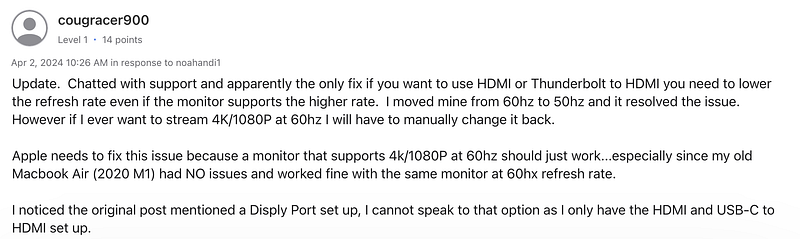
https://discussions.apple.com/thread/255500019?sortBy=rank
Conclusion
Apple needs to address this problem with their new chip architecture. It’s crucial that future iterations, such as the anticipated M4 Macs, resolve this issue to ensure a seamless user experience with external displays.
Hopefully this article helps others resolves their flicker issue too!
Disclaimer: Below are affiliate links. As an Amazon Associate I earn from qualifying purchases.
My Dell 4K monitor: https://amzn.to/3zYWNMj