When your Mac is stuttering
I have a MacBook Air with the M2 chip. When I first got it, it was incredibly fast, but over time I noticed it started to stutter-even during simple tasks like playing YouTube videos. At first, I suspected Safari was the problem, so I tried Firefox and Chrome, but the issue persisted. I also noticed my battery was draining faster than before. Clearly, something was wrong with my system.
My initial thought was that it might be time for a fresh macOS install. On Windows, it’s common for systems to slow down over time, often requiring a clean installation to restore performance. But after some research, I discovered another possible culprit: low disk space. Modern SSDs can experience significant slowdowns when nearly full, as they require free space to write data efficiently. The operating system also constantly reads and writes data for swap, caches, and background processes, which can exacerbate the issue if storage is tight.
I checked my disk space using df -h and found my 512GB SSD was 95% full. After cleaning up old files, Xcode caches, and unused SDKs, I reduced usage to 70%.
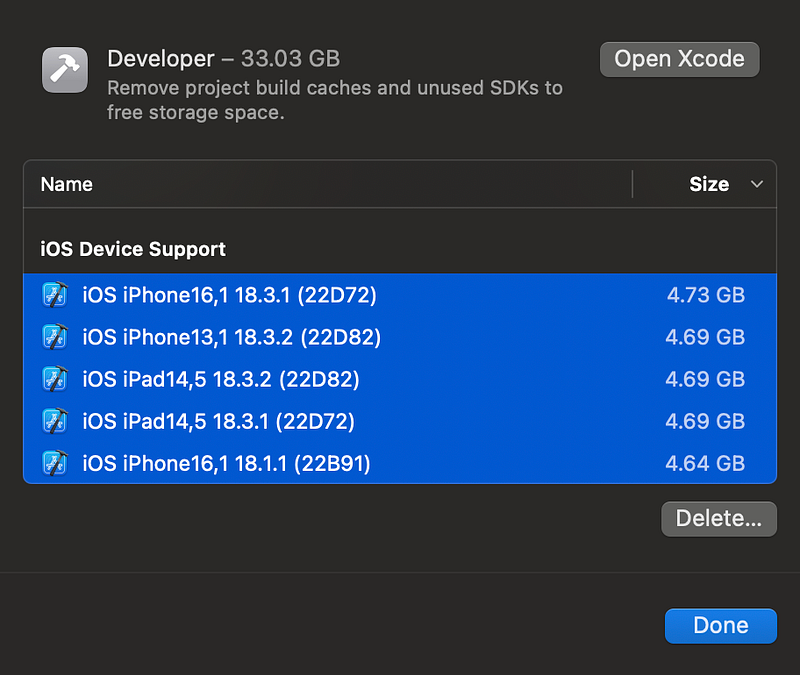
The improvement was immediate. While it might not have been as fast as a fresh install, the stuttering stopped and battery life improved noticeably.
If your Mac is stuttering, check if your disk is too full! Freeing up space can make a significant difference in performance.